
Security and compliance
Runs inside your boundary. Every AI call governed and on the record.
PIES Studio is built for organisations where security is not optional. It is self-hosted, your data stays in your network, the applications it builds sign their users in with your identity provider, and the AI it uses answers to your policy and your audit log.
Self-hosting
Your infrastructure. Your network. Nothing hosted by us.
Enterprise runs as containers on your Linux servers, in your Kubernetes cluster or in your own AWS or Azure account. PIES does not host your data, your code or your models.
- Air-gapped: install from an offline package, activate with a licence file, run AI with PIES LLM
- Private cloud: your subscription, your network, your keys
- One organisation per install, with teams, roles and workspaces inside it
Your applications' users
Enterprise sign-in for every application you build.
Every generated application comes with sign-in, access control and user management that would normally take a team weeks. It is configured once per application and inherited by every deployment.
Seven ways to sign in
Password, Sign in with PIES Studio, Microsoft, Google, Apple, OpenID Connect and SAML, set up once as cards in a guided flow. Every deployment inherits it and an environment can narrow it.
Sign-in policy
SSO-only, allowed email domains, self-registration on or off with a default group that is never an administrator group, and group mapping from identity-provider claims.
Session policy
Session length, single logout, sign out everywhere, and two-step verification with TOTP and recovery codes for password sign-in.
Access groups, enforced on the server
Per-screen and per-operation grants. A refused call names the group and the function. A user in several groups gets a role switcher that narrows screens, menus, functions and data on the server.
Public screens
A public access group lets guests reach read-only data on screens you choose, so a storefront or catalogue can exist. Writes stay behind sign-in.
No default administrator password
You set it in Users and Access. Open as administrator signs you in without it. Invitations, password resets and designed Login, Register and Forgot Password screens come with the app.
Platform controls
Secure by default, from sign-in to generated code.
Studio sign-in
Microsoft SSO for the Studio on Enterprise. A forgotten-password flow that never reveals who has an account, administrator lock-out recovery, and a second password prompt before sensitive actions such as deleting a user.
Sessions and keys
Signing keys live in the platform database, so replicas share one key set and sessions survive a restart.
Secrets in Vault
API keys, database passwords and tokens are referenced by name and never written into the definition or the generated code. Email servers are configured per environment.
Teams, roles and capabilities
Roles are presets of capabilities; a person's capabilities are their role plus explicit grants. Operations grants hand over who runs an application in one act, and the navigation shows only what each person may do.
Generated code
Parameterised SQL, server-side grants, a Content Security Policy that blocks third-party scripts, and the tenant taken from the session rather than the URL.
Single-tenant install
One organisation per Enterprise install. Separation inside it by roles, teams and workspaces. Only ports 80 and 443 are exposed.
Data sovereignty
Data never leaves your network unless your policy says so.
With PIES LLM, the whole AI pipeline is local. Cloud models are optional, used only where a policy allows, with sensitive fields redacted first and under your own provider agreement.
Data residency
With PIES LLM all inference runs locally. Zero external API calls.
Training data
Stored on your file system. Never transmitted, never shared.
Model weights
Run on your hardware. Delivered on media for air-gapped sites if you need them.
Licence
Validated locally. The Private AI service refuses inference without one but never calls home.
Policy engine
One set of rules for every AI call, on every model.
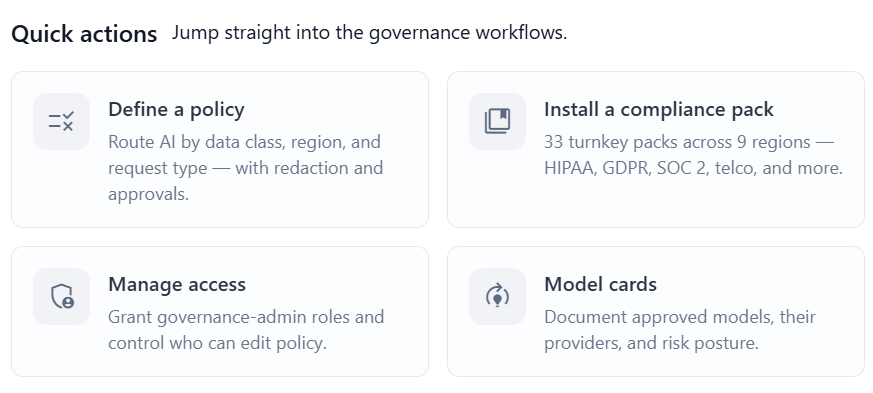
Policies decide which model may handle which request, by request type, tier, data classification, role, application and region. They redact sensitive data before a request leaves the app, and they route each request to a private PIES LLM or an approved cloud model. Change a rule once and every app follows it.
- Seven routing presets from Air-Gapped to Frontier Quality
- Redaction of sensitive fields before any external call
- Agents run as an access group, with human approval per step where you require it
Eight governance roles
Governance admin, policy author, policy reader, approver, auditor, compliance, budget and anomaly, enforced on the server with identity from the verified token only. Separation of duties is built in.
Seven routing presets
Air-Gapped, Regulated Industry (HIPAA/PCI), Cost-Optimised Hybrid, Frontier Quality, Hybrid Burst-and-Train, Public Sector/Sovereign and Default Balanced.
Redaction and classification
Sensitive data is redacted before any model sees it and every detected class is recorded. Knowledge Base text is classified and masked at upload.
Test Console
Simulate a request and see the policy that matched, the classification, the model and the redaction before it goes live. Shadow policies and lint for dead rules.
Audit
A tamper-evident record of every AI call.
Who asked, which model answered, what data classification was involved, what it cost and whether it was allowed or blocked. The log is signed and hash-chained, so a changed or missing entry is detectable, and it exports for your SIEM and your auditors. Beside it, the application activity log records every change by hand or by AI with Restore to this on any entry.
Who, what, which model
User, application, model, tokens, data classes, factuality verdict and the policy decision, for every governed call, including the in-app chatbot.
Hash-chained and signed
Each entry carries a hash of the previous one. A modified or missing entry breaks the chain and is detectable.
Agents inside the hash
Audit rows carry the agent, the run and the posted version, so what was running is never in doubt. Filter by agent, playbook, run or source and trace a run to its calls.
Export and decisions
CSV export for your SIEM and your auditors. A separate Decisions log records every agent decision, who made it and the outcome.
Code ownership
You own everything it builds.
Generated applications are standard source in React or Angular with Go, Python or Java, Flutter for mobile, with typed API routes and Docker packaging. Export them or push them to GitHub or Bitbucket, change them and run them without PIES Studio. No runtime dependency, no lock-in.
Licence model
Per CPU, not per user.
Enterprise is licensed by the CPUs on the server that runs PIES Studio. Unlimited developers, SSO, governance and PIES LLM are included. Licences are encrypted files that work offline, so air-gapped sites need no call home.
Compliance
Designed to support your compliance programme.
Self-hosting inside your boundary, your identity provider, server-enforced access, separation of duties across governance roles, encrypted secrets and a tamper-evident audit trail give your security and compliance teams the evidence they need. Governance and compliance packs are included with every Enterprise licence. Our team will work through your questionnaire with you.
Security questions
Does any data leave our network?
Not unless you choose it. With PIES LLM, prompts, training data, generated code and model weights stay on your infrastructure. If a policy allows a cloud model for a request, only the redacted request goes to that provider, under your own key and their terms. If no policy allows a model, the request fails rather than falling back to the cloud.
Can PIES Studio run with no internet connection?
Yes. Enterprise installs from an offline package and activates with a licence file. PIES LLM provides AI with no external call.
How do the applications we build authenticate their users?
Password, Sign in with PIES Studio, Microsoft, Google, Apple, OpenID Connect or SAML, configured once per application. Access groups are enforced on the server, and a public access group can expose read-only screens to guests where you want it.
Are you SOC 2 or ISO 27001 certified?
PIES Studio is designed to support your own compliance programme: it runs inside your boundary, under your identity provider, with role-based access, separation of duties and a tamper-evident audit trail. Ask us about the current status of third-party attestations.
Who owns the generated code?
You do. The export is standard source in mainstream languages. Build it, change it and deploy it without PIES Studio.
How does licensing work?
Enterprise is licensed per CPU on the server that runs PIES Studio, not per user, so you can give the whole team access. Licences are encrypted files and work offline. Details are in the licensing docs.
How do we report a security issue?
Email support@pies.io. We acknowledge reports and keep you informed until they are resolved.
Run it inside your own boundary.
Start a 60-day Enterprise trial on your servers. Nothing leaves your network.