
Platform
One platform from a sentence to a running app, and for the whole life of it after.
PIES Studio is a self-hosted development platform. Describe what you need or draw it by hand. Preview it in a real container, deploy it to your servers, post agents inside it, and keep every AI call governed and on the record.
01 · Build
Describe the app. PIES AI builds the tables, screens and logic.
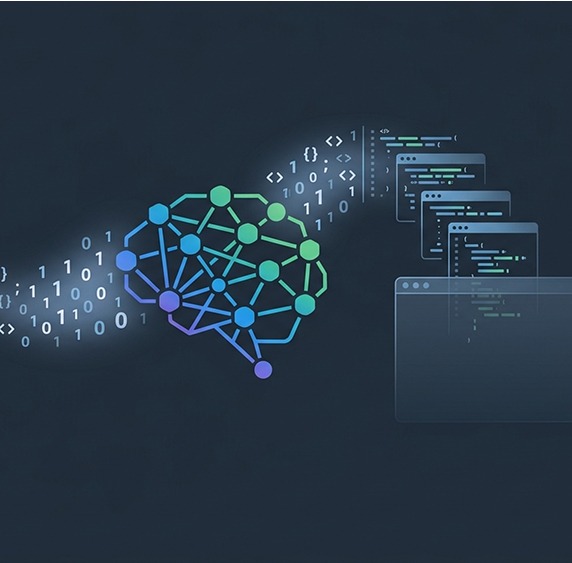
Say what the application should do in plain English. PIES AI plans the data model, creates the tables and relationships, designs the screens with the right widgets, and wires the events and functions. You watch every tool call as it works.
- Whole applications from one prompt, or one change at a time
- Three modes: Edit automatically, Plan mode, or Ask before edits with an Approve or Reject card per change
- A build receipt counted from the application, not from the model's claims, and one-click rewind of any turn
- Builds from your requirements documents: attach a BRS or specification and the AI works from it
- PIE Loop: a large request is broken into units, built, checked and fixed until it compiles
Or build it by hand. Everything the AI makes is an ordinary object.
Nothing PIES AI builds is locked. Every screen opens on the same drag-and-drop canvas your team would use to draw it from scratch. Every function opens as a flow of steps. Tell PIES AI to change something, or change it yourself. Either way the app stays one consistent system.
Teams that know exactly what they want can build the whole application without the AI at all.
Authoring depth
What you can author, with or without the AI.
Visual builder
A 1920-wide canvas, a widget palette and an inspector. Inputs, tables, forms, lists, tab groups, count cards, the ECharts family, containers, text, icons, images, video, links and shapes. Flex and grid containers hold their shape at any width.
Events, functions and steps
Business logic is drawn as a flow. Steps are grouped as Call, Control, Error Handling, Concurrency, Record, Comms, AI, Document, Retrieve, Scheduler, Custom Widgets and Return Data. Functions do data, events do interface, and the build enforces it.
Processes
BPMN-style workflows for work that spans time and people: tasks, gateways and tracked instances. "Approval workflow" is a documented starting prompt.
Documents and PDF
Design a template with header, footer, sections, tables, signature lines and tokens. A function generates a real PDF, downloads it or emails it as an attachment. Invoices, agreements and statements without a third-party tool.
Email and notifications
A Send Email step with CC, BCC and Reply-To, HTML plus plain text. A Notify User step sends in-app notifications with action buttons to users or access groups, shown by a bell in the header.
Themes and header builder
One palette and type scale applied to the whole app and to everything PIES AI generates afterwards. Header and sidebar edited on one canvas. AI-generated themes are saved as their own theme.
Media library and Icon Studio
Upload images, video, audio and PDF into the app. Rotate, crop, resize, filter and annotate without destroying the original. Custom icons used across widgets, tabs, menu and header.
Custom widgets
Screen widgets in React, function widgets in Go, built in the Widget Designer and placed from the palette. A registry of 500 tested widgets, searchable by PIES AI. Code blocks for anything with no native step.
Workspaces
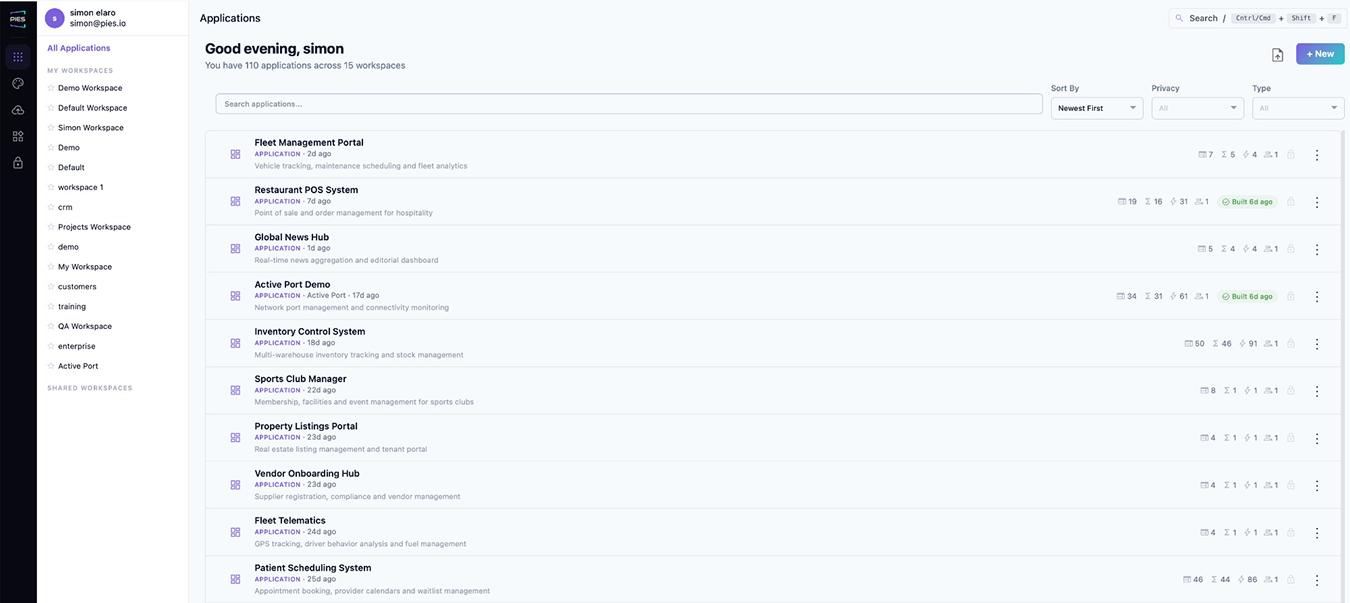
Applications grouped by team, project or client. Each card shows the agents it carries. Unlimited applications on one platform.
02 · Run
A real application, in a real container, on your servers.
The preview is not a mock-up. PIES Studio compiles the database, back end and front end with a live build log, then runs the app in a Docker container with its own database, sign-in and generated sample data. What you see is what you ship.
When it is ready, deploy it from PIES Studio or export the source and deploy it your way. The generated code is standard React or Angular with Go, Python or Java, typed API routes and Docker packaging. You own it outright and it has no runtime dependency on PIES.
Find the fault where it runs, then hand it to the AI.
Build failures land in a PROBLEMS tab grouped by Database, Interfaces, Events and Functions, with the object named. Analyse & Fix hands the failure to PIES AI with its context and applies the fix as an ordinary, rewindable change.
Inside the running preview, a diagnostic overlay reports what rendered and, when something is missing, works down from definition to generated code to data to render and says which layer is wrong. It can pass that finding to the AI too.
03 · Agents
Every app gets its own AI agents.
Each application runs its own MCP server with a tool per table and an invoke tool per function. Agents use those tools to do real work inside the running app: chase overdue items, triage requests, prepare summaries, fix what a build broke.
- Three kinds of work: a delivery changes the app by running a playbook, an errand does one action, a post stands watch on an environment
- Triggers: a schedule, a signed webhook, app events such as deploy failed or bug reported, or a record change with a column filter
- Supervised, Autonomous or Locked down, with readable approval cards that time out safely
- An agent acts as one of the app's access groups and the app enforces that group's permissions. Rows it writes are signed with its name
04 · Govern
Your rules. Any model. Including your own.
Use Anthropic Claude, OpenAI, Azure OpenAI or xAI Grok through your own keys, or PIES LLM running privately on your hardware. Policies decide which model may see which data, redact sensitive fields before a request leaves the app, and route each request by type, tier, classification, role, app and region. If no policy allows a model, the request fails rather than falling back to the cloud.
Change a rule once and every app on the platform follows it. Nothing is rebuilt.
05 · Record
Every AI call, on the record.
Who asked, which model answered, what data classification was involved, what it cost and whether it was allowed or blocked. Every governed call, including the in-app chatbot and every agent step, is written to a signed, hash-chained audit log with the agent, run and posted version inside the hash. Filter by agent, playbook or run, trace a run to its calls, export CSV.
Lifecycle
Version it, branch it, rewind it, ship it.
Branches and merge
Try something without touching main. Merge when it is ready.
Rewind any AI turn
Every turn takes a version snapshot first. A turn that went wrong is undone with one click.
Activity log with restore
Every change by hand or by AI, who made it and when, with Restore to this on any entry.
Import and export
Move whole applications between installs. Publish screens, widgets and functions as shared assets.
Publish as a template
Turn a finished application into a template your organisation installs again and again.
Push to GitHub or Bitbucket
Generated code goes to your repository. Engineers read, review and run it in their own pipeline.
Environments
Preview, Test and Production, run from one panel.
Preview, Test, Production
Each environment has its own deploy target, variables and sign-in. Tag one as Production and the app reads Live in the workspace. Promotion is a redeploy, not a rewrite.
Deploy targets
Docker and Kubernetes on infrastructure you control. AWS and Azure with credentials connected once under Integrations.
Control panel
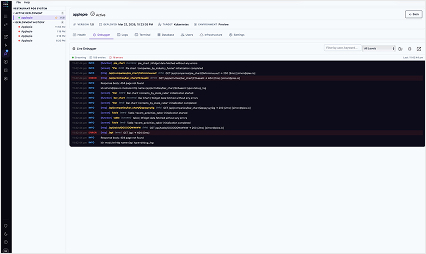
Service health and latency, live endpoints, version, activity log, container logs and stats. Restart, scale, redeploy, tear down, or roll back by redeploying an earlier version.
Start and stop schedules
Set days and hours per deployment. Apps that only need business hours stop costing money overnight.
Open as administrator
Sign into a running application as its administrator without the password.
Publishing keeps your data
Change the model and publish again. Data is never deleted and sample rows are never reloaded.
Data
Your data, where it already lives.
PIES Studio generates an internal database from your model with no DDL: tables, columns, constraints and keys, for every environment. Or connect an existing MySQL, PostgreSQL or Snowflake database and the tables appear beside your own. Zetaris adds read-only analytics over a token-based REST connection.
- A visual ER diagram, with relationships drawn by dragging between columns
- Views, formula columns and charts over internal and connected tables alike
- Credentials in the secret store, and a deploy that refuses to run without them
ER diagram
Drag between columns to create a relationship. The fastest way to see whether a model, yours or the AI's, is normalised.
Connected sources
MySQL, PostgreSQL, Snowflake and Zetaris read-only analytics. Connected tables sit beside internal ones and feed screens, functions and charts. Credentials go to the secret store.
Views and formula columns
Read-only views with joins, WHERE, HAVING and ORDER BY. Typed formula columns, stored or computed.
Fail-loud external data
An external source with no credential refuses to fall back to a local copy, and a deploy with a missing database secret is blocked.
Sample data with relative dates
Seed data is dated relative to install day, so "due next week" is always true in a demo.
Charts on any table
Measure, dimension and filters on the ECharts family, over internal or connected data.
APIs
Every app is a REST API and an MCP server.
AI agents do not click buttons. They call APIs. Every application PIES Studio builds serves its own REST API with Swagger and OpenAPI documentation at /docs on the running app, and its own MCP server with a tool per table and per function.
- Typed REST routes generated with the app, in Go, Python or Java
- The MCP server is what the app's agents and the in-app chatbot use
- API Connections: define an outbound REST call once, test it, and use it from a REST Call step
- Authenticated with the same access groups as the user interface

Mobile
The same application, as a native mobile app.
Switch the application to mobile and the same data model, functions and events render in Flutter. Preview it in a phone frame inside the IDE, download a debug APK and the Flutter source, and let a deployment build bake in the deployed backend URL and sign-in.
- One definition, web and mobile
- Phone-frame preview beside the web preview
- Apple and Google Play accounts connected once under Integrations for publishing
Template store
Start from one of 35 finished industry applications.
Hospitality, fitness, beauty, trades, professional services, education, events, logistics, telco site monitoring, visitor management, retail banking analytics and more. Browse by category, read what is inside, install.
- Every template ships with sample data and a distinct theme
- Every template installs an agent pack with something for the agents to find on the first run
- Every template has the in-app chatbot enabled
- Templates that need an external system finish with their own connect flow
- Publish your own application as a template
- The whole gallery ships offline, in Hobby and in the Enterprise image
Deploy anywhere
On your premises, in your cloud, or with no internet at all.
PIES Studio is a set of containers: the Studio IDE, the core orchestrator, the AI engine, the build and preview runtime, the deployer and the stores behind them. Only ports 80 and 443 are exposed. MongoDB, MySQL, Redis and Vault can run on a separate server or be replaced by managed equivalents.
On your premises
A Linux server or VM with Docker Engine and Compose. Four cores and 16 GB of RAM is enough to evaluate; eight or more cores and 32 GB for production.
Air-gapped
Fully functional with no internet connection. Install from an offline package, activate with a licence file, and run PIES LLM for AI without any external call.
Your cloud account
AWS or Azure, in your subscription and your network. Kubernetes 1.26+ supported for production clusters.
Minimum: 4 cores, 16 GB RAM, 50 GB, Linux x86-64 with Docker Engine 24+. Production: 8+ cores, 32 GB+, SSD, Docker or Kubernetes 1.26+. Disk guard, log rotation and an upgrade and rollback procedure are set up by the installer. Install guide
Platform questions
Is the generated application really portable?
Yes. The export is ordinary source code in React or Angular and Go, Python or Java, Flutter for mobile, with typed API routes and a Dockerfile. You can build, modify and deploy it without PIES Studio.
What does a preview actually run?
A real Docker container with the compiled database, back end and front end, its own sign-in and generated sample data. It behaves as it will in production.
Which databases can we connect?
MySQL, PostgreSQL and Snowflake, plus Zetaris for read-only analytics over REST. Connected tables appear beside internal tables and are used the same way in screens, functions and charts.
Can we build without the AI?
Yes. The visual builder, the step catalogue, processes, document templates, themes and the data model are all authored by hand if you prefer. PIES AI edits the same objects, so you can mix both at any time.
What are the system requirements?
Minimum for evaluation: 4 CPU cores, 16 GB RAM, 50 GB free storage, Linux x86-64 with Docker Engine 24+ and Compose v2. Recommended for production: 8+ cores, 32 GB+ RAM, SSD, Docker or Kubernetes 1.26+. Full details are in the install guide.
How is it licensed?
Per CPU on the server that runs PIES Studio, not per developer. Unlimited developers, and a 60-day free trial to start. See the licensing docs.
Build something real this week.
Start a 60-day Enterprise trial on your own servers, or download the free desktop edition.